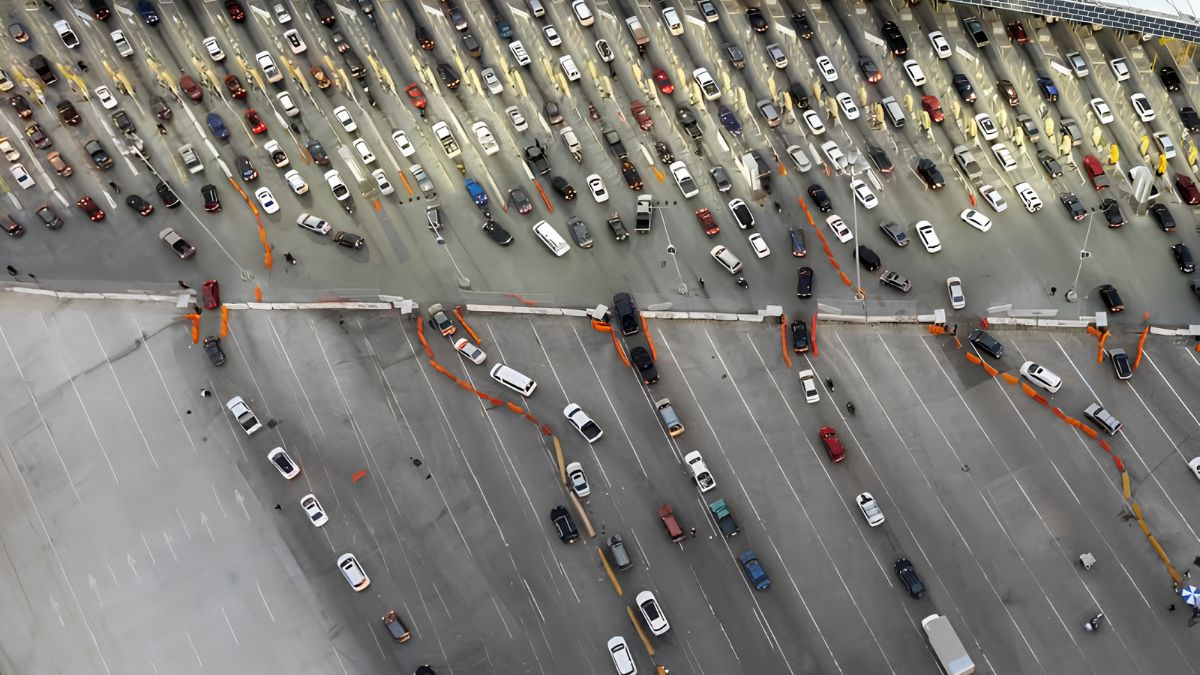

Community events create memories that people want to keep for years. From neighborhood celebrations and cultural festivals to school gatherings, volunteer activities and local fundraisers, photographs help San Ysidro residents document the people, places and traditions that make their community special. These images can become valuable historical records, connecting future generations with the stories of their neighborhoods.
However, preserving photographs involves more than saving files to a computer or uploading them to social media. Images may include children, private conversations, identifiable locations or people who never agreed to have their pictures shared publicly. A photograph taken at a public event is not automatically appropriate for every use.
Community groups can protect these memories by creating clear photography policies, asking for consent, organizing digital archives and limiting access to sensitive images. With a few practical steps, local organizations can preserve their history while respecting the dignity, preferences and privacy of the people who appear in their photographs.
Planning
Good photo preservation starts before an event begins. Community groups should decide why they are taking photographs, who will manage them and how the images may be used later.
For example, a neighborhood association might want photographs for an annual report, a private volunteer newsletter and a public website. Each purpose carries different expectations. An image shared with registered volunteers may not be suitable for unrestricted publication online.
Organizers should establish a simple photography policy that explains:
- Why photographs will be taken.
- Who will take and manage the pictures.
- Where images may be stored.
- Whether photographs may appear on public websites or social media.
- How participants can ask questions or request removal.
- How long images will be retained.
The policy does not need to be complicated. A one-page document can help volunteers understand their responsibilities and give participants a clear explanation of how photographs will be handled.
Assigning one person to oversee the process also reduces confusion. This person can coordinate photographers, maintain consent records, organize files and respond to privacy requests.
Consent
Consent is central to respectful community photography. People may be comfortable appearing in a group photograph but uncomfortable having their image published publicly or used to promote an organization.
Community groups should explain photography plans before an event and provide a straightforward way for attendees to express their preferences. Registration forms, event emails and signs can help communicate the policy, but signs alone may not be sufficient for every intended use.
When practical, organizers can ask participants to choose whether they agree to different types of use, such as internal documentation, newsletters or public promotional materials. Permission should be specific enough that people understand what they are agreeing to.
Consent should also be voluntary. Attendees should not feel that they must agree to photography to participate in a community activity. Provide a reasonable way to attend without being deliberately photographed, where feasible.
For close-up portraits, interviews, testimonials or images intended for fundraising campaigns, asking directly is usually the better approach. A brief conversation can prevent misunderstandings and help participants feel respected.
It is also important to remember that consent can have limits. Permission to take a photograph does not necessarily mean permission to publish it everywhere, indefinitely or for unrelated purposes.
Children
Photographs involving children require additional care. Parents and guardians may have different preferences about sharing a child’s image, and some families may have safety concerns that are not visible to event organizers.
For identifiable photographs of children, community groups should generally seek permission from a parent or legal guardian and, when appropriate, the child’s own agreement. The exact legal requirements can depend on the circumstances, the intended use and applicable law.
A practical policy can prohibit publishing identifiable images of children unless the necessary permission has been obtained. Volunteers should also avoid sharing children’s full names, school details, schedules or other information that could expose them to unwanted attention.
Group photographs deserve attention, too. A large crowd image may still identify individual children, particularly when paired with event details, location information or social media profiles.
If permission is unclear, the safest option is to keep the photograph out of public posts until the issue has been resolved. Organizers can also choose alternative images that show decorations, activities, artwork or wide views without focusing on identifiable children.
Privacy
Not every photograph contains sensitive information at first glance. A picture of a community gathering might reveal someone’s workplace, religious affiliation, health-related participation or connection to a particular support group.
Before publishing images, reviewers should look beyond the people in the frame. Check name badges, registration sheets, vehicle license plates, documents on tables, computer screens and location details that may disclose information unintentionally.
Some events are especially sensitive. Support meetings, health outreach sessions, immigration assistance activities and services for vulnerable residents may involve participants who do not want their attendance documented publicly. At these events, photography may need to be prohibited entirely or limited to designated areas with clear permission.
Community groups should avoid assuming that everyone who attends an event welcomes publicity. People may have personal, family, professional or safety reasons for keeping their participation private.
When an image reveals unnecessary personal details, consider cropping, blurring or choosing another photograph. Editing should protect privacy without misleading viewers about the event or its participants.
Storage
Preserving photographs requires a reliable storage system. Keeping the only copy on a volunteer’s phone, personal laptop or social media account creates risks if the device is lost, the account is closed or the volunteer leaves the organization.
A stronger approach is to maintain an organizational archive with controlled access and at least one separate backup.
For digital collections, groups can consider the following structure:
| Storage method | Main benefit | Important consideration |
|---|---|---|
| Organization-managed cloud storage | Easy sharing among authorized staff | Use strong access controls |
| External hard drive | Provides an offline copy | Store it securely and check its condition |
| Organization-managed computer or server | Centralized file management | Maintain backups and security updates |
| Public photo gallery | Makes approved images easy to view | Publish only images cleared for public use |
A practical approach is to keep one primary archive, one backup in a separate location and a clearly defined set of access permissions. Not every volunteer needs access to every image.
Use strong, unique passwords and multifactor authentication where available. Remove access promptly when volunteers leave their roles, and review sharing permissions periodically.
For especially sensitive photographs, consider encrypted storage and stricter access restrictions. Avoid using public links that allow anyone with the URL to view an entire archive.
Organization
An archive becomes more useful when people can find photographs without opening hundreds of files individually. Consistent naming and basic cataloging can preserve context while making the collection easier to manage.
A useful filename might include the date, event and image number, such as 2026-10-Community-Fair-001.jpg. Avoid putting sensitive personal information, children’s full names or private details into filenames.
Groups can organize folders by year, event or project. A simple catalog may include:
- Event name and date.
- General location.
- Photographer or contributing organization.
- Short description of the activity.
- Permission status and permitted uses.
- Any access restrictions or removal requests.
Keep consent records separately from public-facing galleries. If an image has restrictions, the archive should make those restrictions easy for authorized staff to identify before publication.
Metadata can also be useful, but it deserves review. Digital photographs may contain location coordinates or device information. Before public distribution, remove unnecessary metadata when appropriate, especially from images connected to sensitive locations or vulnerable participants.
Backups
Digital files can disappear through accidental deletion, hardware failure, ransomware or account problems. A backup plan helps community groups protect years of documentation from a single mistake.
One widely used approach is the 3-2-1 backup rule: keep three copies of important data, on two types of storage, with one copy stored separately. Small organizations may not need an elaborate technical system, but the underlying principle is valuable.
For example, a group might maintain its main collection in approved cloud storage, a separate copy on an external drive and another protected backup at a different location. The exact setup should reflect the organization’s budget, technical skills and privacy requirements.
Backups must also be tested. A drive that has not been checked for years may fail when the group finally needs it. Assign someone to verify that files can be restored and that the backup contains recent additions.
Importantly, backup systems should respect deletion requests and retention policies. If an image must be removed for privacy reasons, organizations should have a process for handling remaining copies and backups, consistent with applicable legal obligations and legitimate preservation needs.
Publishing
Public sharing creates a wider audience and a greater risk of losing control over an image. Once a photograph appears online, others may copy it, download it, repost it or use it outside the original context.
Before publishing, a designated reviewer should confirm that the image is appropriate for the intended audience and that the necessary permissions are recorded. The review should consider the photograph, its caption, accompanying names and the platform where it will appear.
A picture may be acceptable in a private volunteer newsletter but inappropriate for a public social media campaign. Captions can also reveal information that is not obvious in the image itself.
Community organizations should avoid posting personal details merely to make a story more engaging. A first name, a quote or a detailed description of someone’s circumstances should be included only when appropriate and authorized.
It is wise to establish a simple removal process. If someone asks for a photograph to be taken down, the organization should acknowledge the request, review the circumstances promptly and explain the next steps. When removal is appropriate, update the original post and any galleries under the group’s control. Copies already downloaded or reposted elsewhere may be harder to retrieve, so organizations should avoid promising complete removal from the internet.
Legalities
Privacy and image-use rules can vary according to location, the type of event, the people photographed and the intended use. Community groups should not assume that taking a photograph in a public place gives them unlimited rights to publish it.
In the United States, additional considerations may apply when photographs are used commercially, when copyrighted images are involved or when personal information is collected and stored. Rules concerning children, schools, private venues and particular organizations can also differ.
Copyright is another important issue. The photographer may own copyright in an image unless ownership has been transferred or another arrangement applies. An organization should clarify who owns contributed photographs and obtain the permissions needed for its intended uses.
Groups seeking practical guidance can consult these official resources:
- U.S. Copyright Office – Information about copyright ownership and using photographs.
- Federal Trade Commission – Privacy and data-security guidance for organizations and businesses.
- California Privacy Protection Agency – Information about California privacy law and related requirements.
These resources provide general information, not a determination of the rules for every community event. Organizations handling sensitive images or collecting substantial personal information may benefit from advice from a qualified legal professional.
Retention
Preserving community history does not necessarily mean keeping every photograph forever. A well-managed archive distinguishes between images with lasting historical value and photographs that have little continuing purpose.
A group might retain selected, approved photographs from annual festivals, public ceremonies and volunteer projects while deleting duplicate shots, accidental captures and images that are no longer needed. Sensitive images may require shorter retention periods or tighter access restrictions.
A written retention schedule can specify which materials should be preserved, who can authorize deletion and how privacy requests are handled. Before deleting material with genuine historical significance, organizations should consider whether a less identifying version or restricted archival copy would meet the preservation goal.
When a volunteer leaves, the group should also ensure that important images and records are transferred to authorized organizational storage rather than remaining solely on a personal device.
Community
A respectful photography policy can strengthen trust rather than discourage participation. When residents know how their images will be used, they can make informed choices and feel more comfortable joining community activities.
San Ysidro organizations can start small: appoint an archive coordinator, publish a clear photography notice, obtain permission for identifiable promotional images, restrict access to sensitive files and maintain reliable backups. Reviewing these procedures once or twice a year can help the system keep pace with new volunteers, technology and community expectations.
The goal is not simply to collect as many photographs as possible. It is to preserve meaningful records while recognizing that each image may represent a real person’s identity, relationships and personal circumstances. With thoughtful planning, clear consent and secure storage, community groups can protect both their local history and the trust that makes that history worth preserving.
FAQs
Should community groups ask before publishing photos?
Yes. Obtain appropriate permission, especially for identifiable portraits.
How should event photographs be stored?
Use access-controlled storage and maintain separate backups.
Do photos of children need extra care?
Yes. Follow guardian permission policies and protect identifying details.
What should a photo policy include?
Explain purpose, access, publication, retention and removal requests.
Can a person request photo removal?
Yes. Provide a clear process and review requests promptly.